Privacy
Delete my data
Radar has no accounts, so we can't tell who you are and we can't look you up by name or email address. Your data on our server is tied only to an anonymous identifier (UUID) held by the Radar App on your device. That means the only way to delete it is to send the request from inside the Radar App itself.
How to delete your data
- Read the Privacy Policy page to see what data Radar holds on our server, why it is held and how long it is kept.
-
Delete your data from within the Radar App
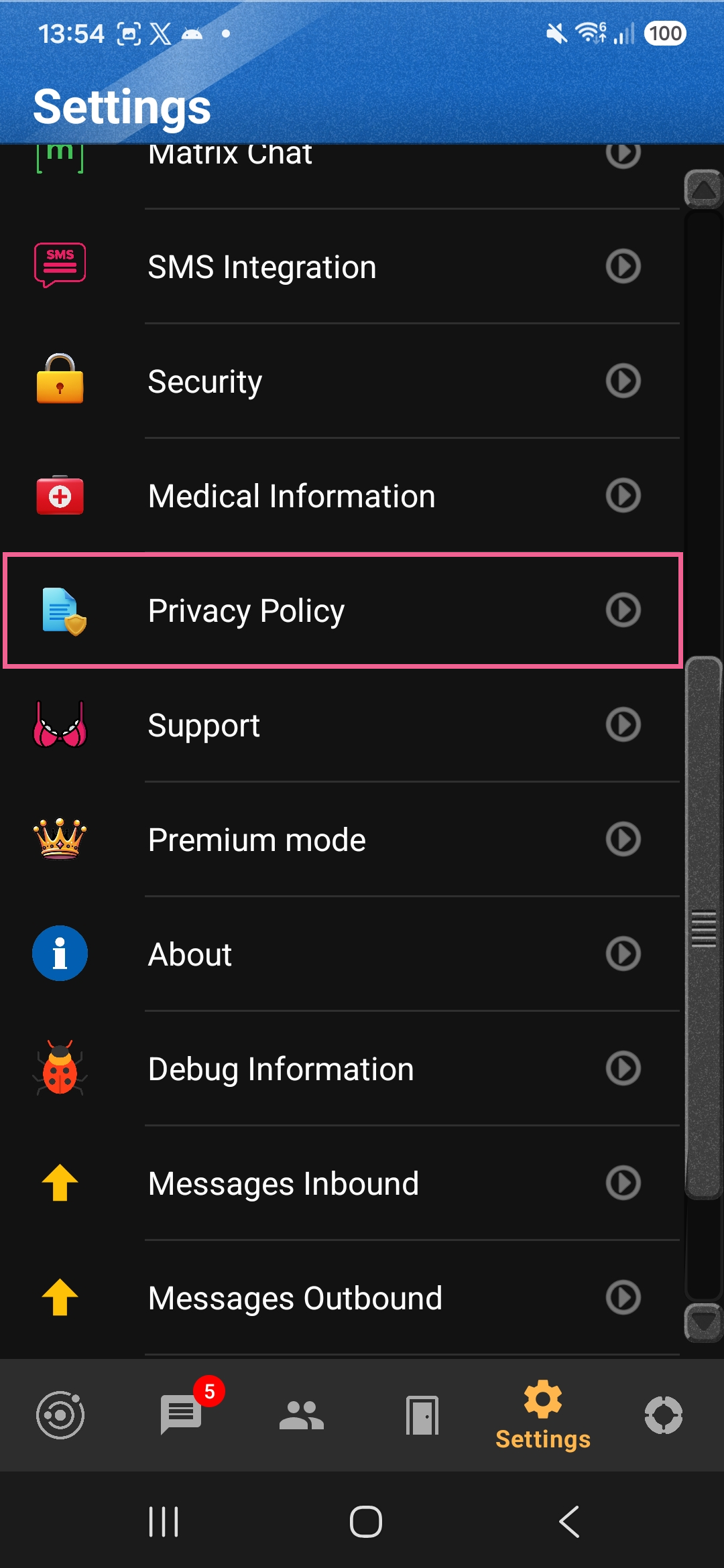
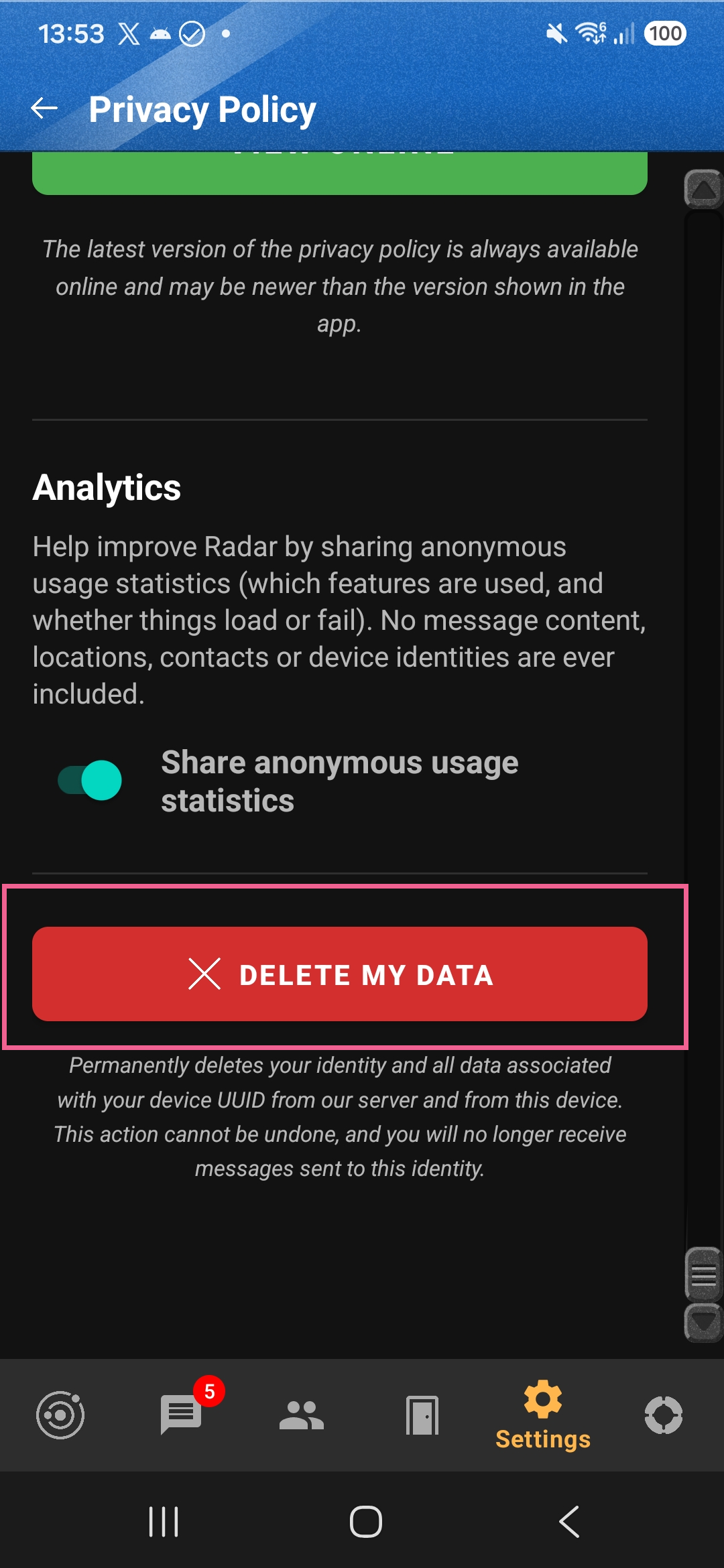
Open Settings, then Privacy Policy, scroll to the very bottom and tap the red Delete My Data button, as shown below.
Detailed steps in the app
- Open the Radar app on your Android device.
- Go to Settings and choose Privacy Policy.
- Scroll to the very bottom of the Privacy Policy screen.
- Tap the red Delete My Data button.
This sends a request, containing your device's anonymous identifier (UUID), to our server to delete all data associated with that identifier. The app then also wipes its own data on your device and offers to uninstall itself. This cannot be undone, and you will no longer receive messages sent to that identity.
- Why this can't be done by email Radar has no accounts, and we hold no name or email address that we can verify against your data. If you email us, we cannot tell which data is yours, so we cannot action a deletion request sent that way. Please use the Delete My Data button in the app. For anything else, see our contact page.