Contact
Need help?
Radar has no accounts and your usage is entirely anonymous. We can't tell who you are or what device you're using. So the best way to get support on the Radar App is using the Support form from inside the Radar App itself.
How to log a support request
- Check the FAQ page to see whether your question is already answered there.
- Check the Privacy Policy page for questions about data, anonymity and your rights, including how to delete your data.
-
Contact Support from within the Radar App
If you cannot find an answer to your question or problem, send a support request from the app itself, as shown below.
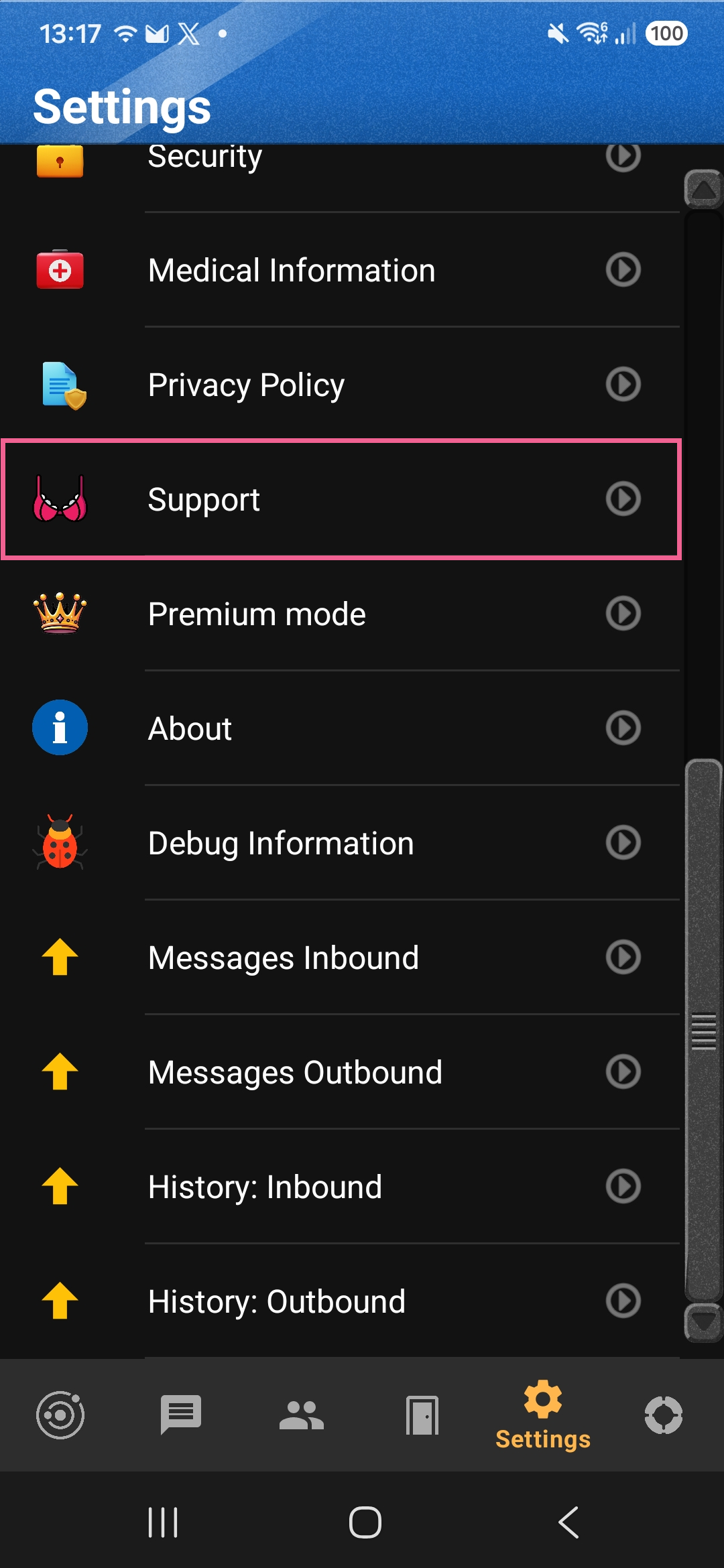
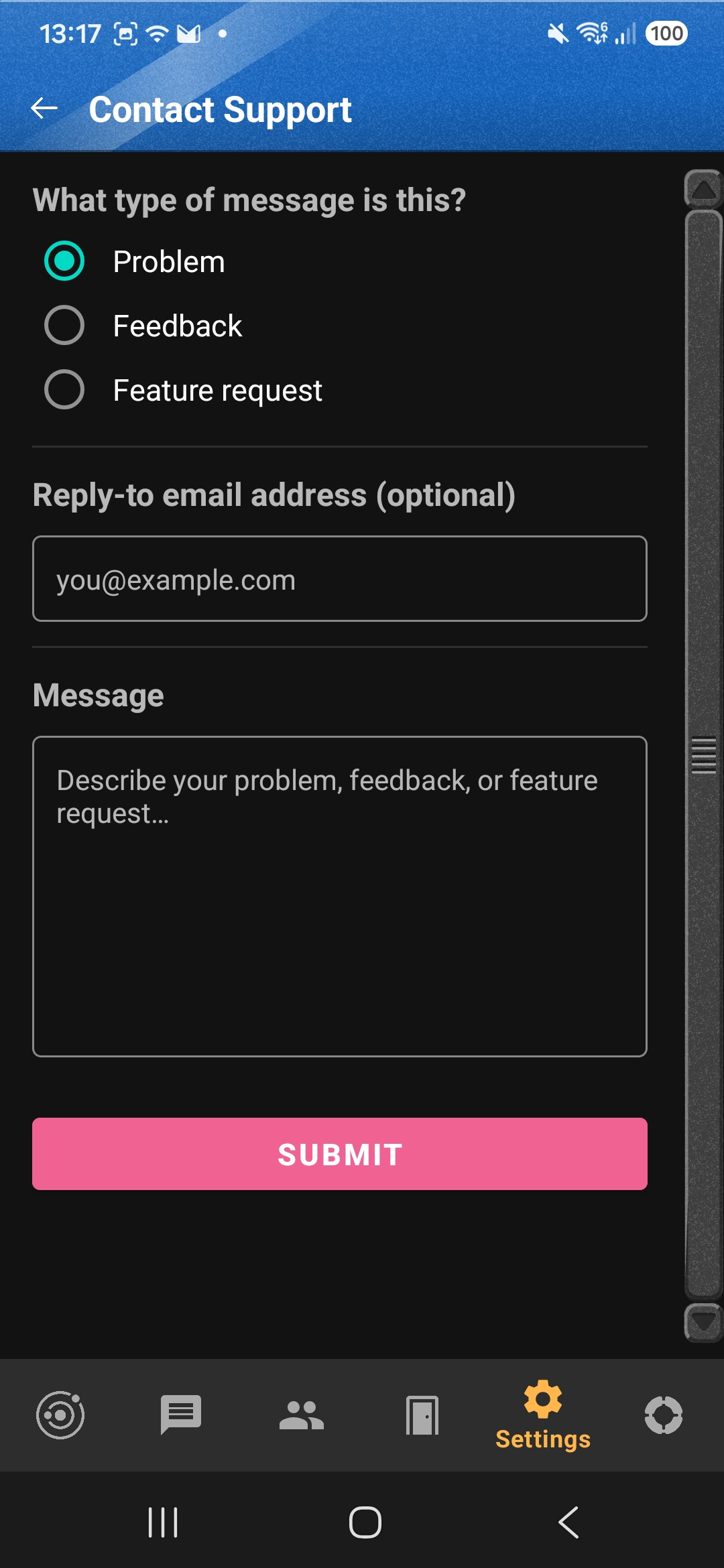
Detailed steps in the app
- Open the Radar app on your Android device.
- Go to Settings and choose Support.
- Choose the type of message: Problem, Feedback or Feature request.
- Optionally add a reply-to email address, so we can respond to you.
- Describe your question or problem in the Message box and tap Submit.
Support requests are made through the app rather than by phone number or account, because Radar doesn't have either. Your email address is optional, and without one we have no way to reply to you directly. To delete your data, use the Delete My Data button in the app instead; see how to delete your data.
-
As a last resort, email us
If you are unable to send a support request from within the app, you can also email
 .
If you do so you will lose your anonymity.